A Complete Guide to LetsBuildUp.org Dashboard Features
|
Getting your Trinity Audio player ready...
|
When you join LetsBuildUp.org, you enter a vibrant community designed to help professionals, creators, and learners connect, share, and grow. But the real magic happens inside the LetsBuildUp.org Dashboard — your personal control center where you can manage your profile, participate in discussions, and monitor your community activities.
In this complete guide, you’ll learn how to use the LetsBuildUp.org Dashboard effectively, understand each feature, and make the most out of your experience on the platform.
What Is the LetsBuildUp.org Dashboard?
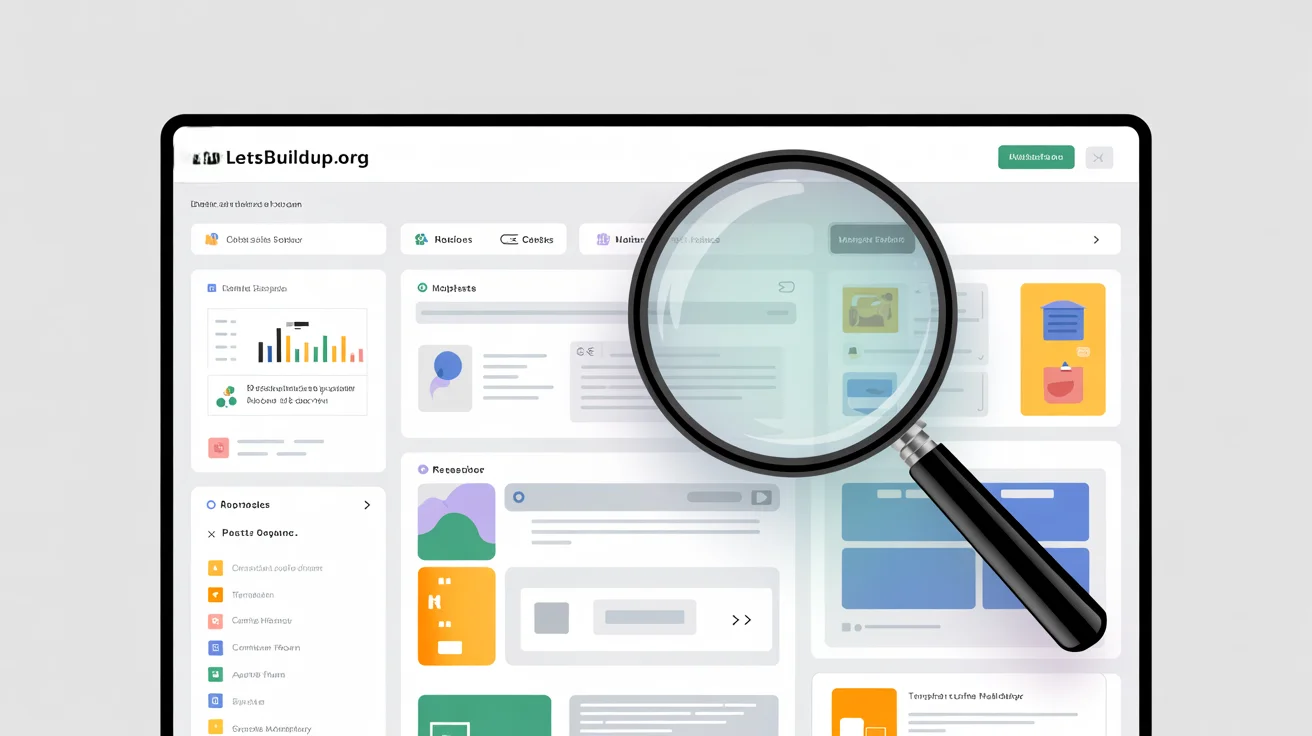
The dashboard is your main workspace on LetsBuildUp.org. It’s where you can view your recent activity, manage posts, track engagement, and access all your account settings in one place.
Think of it as a command center — it organizes everything you do on the forum, ensuring a smooth and efficient experience whether you’re posting, replying, or connecting with others.
Why the Dashboard Matters
Before diving into specific features, let’s understand why the dashboard is essential for every LetsBuildUp.org user.
- 🧭 Centralized Access: All important tools — from posts to messages — are just one click away.
- 💬 Easy Communication: Manage conversations and replies without losing track.
- 📊 Performance Tracking: See how your contributions are performing.
- 🧑💻 Profile Customization: Update your details to reflect your expertise.
- ⚙️ Efficient Management: Saves time by streamlining navigation and activity.
Simply put, your dashboard makes participation in the LetsBuildUp.org community organized, intuitive, and rewarding.
Main Sections of the LetsBuildUp.org Dashboard
Let’s explore each key section of the dashboard and what you can do with it.
1. Profile Overview
The Profile Overview is the first thing you see when you log into your dashboard. It displays your:
- Profile picture
- Username and bio
- Account type or membership level
- Basic activity summary (posts, comments, likes)
This section reflects your professional identity. Keeping it updated helps you stand out as a reliable contributor on LetsBuildUp.org.
Pro Tip:
Use a clear headshot and a concise bio that highlights your skills and niche. A well-optimized profile builds trust quickly.
2. Activity Feed
The Activity Feed shows everything you’ve done recently — from posting new topics to replying to others.
Here’s what you can track:
- Threads you’ve started
- Replies you’ve made
- Likes or upvotes received
- Mentions from other users
This helps you stay on top of your engagement and makes it easy to revisit ongoing conversations.
Example:
If someone replies to your post about “Marketing Trends 2025,” you’ll see it in your activity feed and can respond immediately.
3. Messages & Notifications
Communication is a big part of any online community, and LetsBuildUp.org makes it seamless.
Inside the Messages and Notifications section, you can:
- Send private messages to other members
- Receive alerts for replies, mentions, or badges
- Manage system updates or announcements
Notifications ensure that you never miss important interactions, while private messaging lets you collaborate or discuss ideas one-on-one.
Tip:
Check your notifications regularly — timely responses show professionalism and encourage ongoing engagement.
4. Forum Posts Manager
This is where you manage your threads, comments, and saved drafts.
You can:
- View all your created posts in one place
- Edit or delete previous submissions
- Check engagement (likes, replies, shares)
- Organize posts by category or tag
Whether you’re a casual user or a frequent contributor, this section helps you keep track of your forum activity without confusion.
Example:
If you’ve posted in multiple categories like “Technology,” “Business,” and “Design,” you can easily sort them here for quick access.
5. Saved Posts or Bookmarks
When you come across a great discussion or resource, you can save or bookmark it.
The “Saved Posts” section acts as your personal library — a place to store valuable threads for future reference.
Use it to:
- Save tutorials or guides you want to revisit
- Collect inspiration for your next post
- Keep track of ongoing discussions you’re following
This feature is especially useful for learners and researchers.
6. Reputation & Achievements
One of the most motivating features on LetsBuildUp.org is its Reputation System. It rewards active and valuable members with badges, levels, or points.
In this section, you can:
- View your current reputation score
- See badges earned for milestones (e.g., “Top Contributor,” “Helpful Expert”)
- Track your progress toward the next achievement
This gamified system encourages users to stay active and contribute meaningfully.
Tip:
The more you help others and share knowledge, the higher your reputation grows — boosting your visibility and authority.
7. Analytics Dashboard
For users who love data, the Analytics Dashboard provides insights into your activity performance.
It may include:
- Number of posts and replies
- Views on your threads
- Engagement rate (likes and shares)
- Follower growth over time
With these analytics, you can identify what topics perform best and adjust your posting strategy for better results.
Example:
If your “How-To” guides get the most engagement, focus on producing more content in that format.
8. Account Settings
Your Account Settings section gives you full control over your personal and privacy preferences.
You can:
- Change your password or email
- Update your time zone or language settings
- Adjust privacy controls (e.g., who can message you)
- Enable or disable notifications
This ensures your LetsBuildUp.org experience stays personalized and secure.
9. Theme & Display Preferences
LetsBuildUp.org allows you to customize your visual experience.
In Theme Settings, you can:
- Switch between Light Mode and Dark Mode
- Adjust font size or contrast
- Reorganize dashboard widgets
These accessibility options make browsing easier and more comfortable — especially for long sessions.
10. Help & Support Center
If you ever get stuck, the Help Center is always available from the dashboard menu.
Here you’ll find:
- FAQs and troubleshooting guides
- Contact options for technical support
- Community guidelines and rules
- Tutorials for new members
The Help Center ensures that every user — beginner or expert — can navigate the platform confidently.
Additional Hidden Gems on the Dashboard
Beyond the main tools, LetsBuildUp.org includes several smaller but powerful features:
- Draft Autosave: Never lose your work if your browser refreshes.
- Mentions Tracker: Easily find where other members tagged you.
- Quick Links Panel: Shortcut buttons for your most-used sections.
- Language Localization: Use the platform in your preferred language.
These thoughtful additions enhance user experience and make your workflow smoother.
Best Practices for Using the Dashboard
To get the most out of the LetsBuildUp.org Dashboard, follow these best practices:
- Log in daily to stay updated on discussions.
- Customize your profile — first impressions matter.
- Respond to notifications promptly to stay engaged.
- Review analytics monthly to see what content works best.
- Explore all tabs — many features are hidden gems waiting to be used.
FAQs
How do I access my LetsBuildUp.org Dashboard?
After logging in, click on your profile icon or username. You’ll find a “Dashboard” option in the dropdown menu.
Can I customize my dashboard layout?
Yes, some widgets and panels can be rearranged or hidden for a cleaner, personalized view.
Is the dashboard available on mobile devices?
Absolutely! LetsBuildUp.org’s dashboard is fully responsive and works smoothly on both smartphones and tablets.
Do I need a premium account to use all dashboard features?
Basic features are free, but some advanced analytics or customization options may require a premium plan.
Conclusion
The LetsBuildUp.org Dashboard is much more than a simple profile manager — it’s a complete toolkit that helps you interact, learn, and grow effectively within the community.
From managing your posts to analyzing performance and customizing your experience, every feature is designed to make your journey smooth, efficient, and rewarding.
Whether you’re a beginner or a frequent contributor, mastering your dashboard is the key to unlocking the full potential of LetsBuildUp.org.
So go ahead, explore your dashboard today — and start building your expertise the smart way!