How to Customize Your LetsBuildUp.org Author Page
|
Getting your Trinity Audio player ready...
|
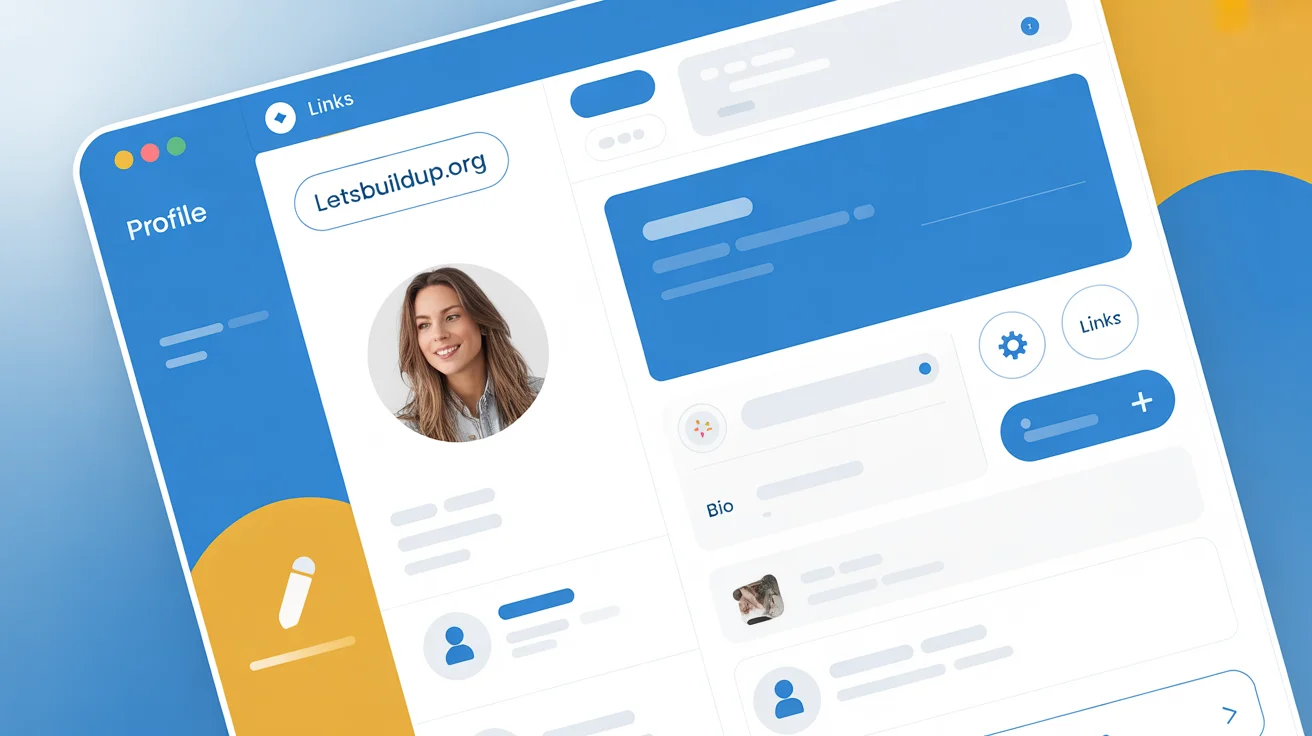
Your LetsBuildUp.org author page is like your personal identity card on the platform. It tells readers who you are, what you write about, and why they should follow your work. A well-customized author page can help you build credibility, attract followers, and grow your audience within the LetsBuildUp community.
In this guide, you’ll learn step-by-step how to customize your author page and make it look professional and engaging.
Why Customizing Your Author Page Matters
Your author page is more than just a name and photo—it’s your digital portfolio. When people click on your name after reading your blog, this page helps them decide whether to follow or connect with you.
Here’s why customization is important:
- ✅ Builds Trust: A complete profile looks more genuine and reliable.
- ✅ Improves Visibility: Helps readers and collaborators discover your work easily.
- ✅ Highlights Your Expertise: You can showcase what you’re passionate about.
- ✅ Encourages Networking: A detailed bio and links invite connections.
- ✅ Boosts Engagement: Readers are more likely to comment or follow you.
Step-by-Step Guide to Customizing Your LetsBuildUp.org Author Page
Step 1: Log In to Your Account
Start by logging in to your LetsBuildUp.org dashboard using your credentials.
Step 2: Go to “Profile Settings”
Once inside your dashboard, click on your profile picture (or the default avatar) at the top right corner. Then select Profile Settings from the dropdown menu.
Step 3: Upload a Professional Profile Picture
Your photo is the first thing readers notice. Choose a clear, friendly, and professional-looking image. Avoid using logos or blurry pictures.
Tip: Keep your photo square-shaped and well-lit for best results.
Step 4: Add a Short Bio
Write a brief but impactful author bio that tells readers who you are and what you write about. Keep it within 2–3 sentences.
Example:
“I’m a content creator passionate about digital learning and personal growth. I write blogs that inspire people to upskill and achieve more every day.”
Step 5: Include Social Media and Website Links
Add links to your professional social media profiles such as LinkedIn, Twitter, or your personal website. This allows readers to follow your work outside LetsBuildUp.org.
Step 6: Choose Your Interests or Categories
Select the blog categories or tags that reflect your expertise or interests. This helps LetsBuildUp.org recommend your content to relevant readers.
Example Categories:
- Education & Learning
- Career Development
- Technology & Innovation
- Personal Growth
Step 7: Add a Cover Image (Optional)
Some users can upload a cover banner that appears behind their profile photo. Use a simple background or an image related to your niche for a professional touch.
Step 8: Highlight Your Best Work
Pin or showcase your top blogs on your author page. This gives visitors a quick idea of your style and expertise.
Step 9: Save Changes and Preview
After editing, click Save and then Preview Profile to see how your page looks to visitors. Adjust spacing, text, or links if needed.
Tips to Make Your Author Page Stand Out
Here are a few quick ways to make your author page more attractive and professional:
- 🖊️ Use a Friendly Writing Tone: Keep your bio conversational, not robotic.
- 📅 Update Regularly: Refresh your photo and bio as your work grows.
- 🌐 Be Authentic: Share genuine interests and experiences.
- 💬 Add a Call to Action: End your bio with a simple line like “Follow me for more writing tips!”
- ⭐ Show Your Achievements: Mention awards, collaborations, or popular posts briefly.
Common Mistakes to Avoid
Even a small mistake can make your author page look incomplete. Avoid these common issues:
- ❌ Leaving your bio blank or too short.
- ❌ Using an unclear or unrelated profile picture.
- ❌ Adding too many external links.
- ❌ Overusing emojis or informal language.
- ❌ Forgetting to proofread your content.
How a Great Author Page Helps You Grow
When you customize your author page well, you get multiple long-term benefits:
- 🚀 Better Audience Connection: Readers feel like they know you.
- 💼 Increased Opportunities: Other writers or organizations may reach out for collaborations.
- 📈 Personal Branding: Helps build a professional online identity.
- 💬 More Engagement: A good profile attracts likes, shares, and comments.
FAQ Section
Q1: Can I edit my author page anytime?
Yes, you can update your author page whenever you want from the “Profile Settings” menu.
Q2: Can I add videos or media to my page?
Currently, only images and text are allowed, but media support might expand in future updates.
Q3: Is a profile picture required?
It’s not mandatory, but having one makes your page look more trustworthy.
Q4: How long should my bio be?
Keep it short—between 40 to 80 words is ideal.
Q5: Can I preview my page before publishing changes?
Yes, you can preview your author page before saving any edits.
Conclusion
Customizing your LetsBuildUp.org author page is one of the easiest ways to build your personal brand and attract the right readers. A great profile tells your story, showcases your work, and creates a lasting impression.
So, log in today and give your author page a professional touch — because your words deserve the spotlight!