How to Use LetsBuildUp.org Mobile App Effectively
|
Getting your Trinity Audio player ready...
|
In today’s fast-moving digital world, community platforms are more than just social spaces — they are engines of growth, innovation, and collaboration. LetsBuildUp.org has quickly emerged as one of the most empowering community platforms designed for changemakers, professionals, and creators who want to connect with purpose.
If you’ve recently downloaded the LetsBuildUp.org mobile app, congratulations! You now have access to a powerful tool that helps you collaborate, learn, and make an impact anytime, anywhere. But to truly make the most of it, you need to know how to use it effectively.
In this guide, we’ll walk you through step-by-step strategies to unlock the full potential of the LetsBuildUp.org mobile app — from setting up your profile to networking with leaders and creating meaningful contributions.
1. Get Started with a Powerful Profile
The first step to using the LetsBuildUp.org app effectively is setting up a strong, authentic profile. Your profile is your digital handshake — it’s the first impression people will have of you on the platform.
Tips to Optimize Your Profile:
- Upload a Clear Profile Picture: Use a professional or friendly photo that represents your real personality.
- Write a Compelling Bio: In 2–3 lines, describe who you are, what you do, and what kind of impact you want to make.
- Add Skills and Interests: The app allows you to list your core strengths and passions. This helps others find you for collaborations or discussions.
- Link Your Socials (if available): If the app allows linking external profiles like LinkedIn or Instagram, do it! It boosts credibility and visibility.
A complete and optimized profile helps you appear in more searches within the community and attracts like-minded members who share your goals.
2. Explore the Dashboard and Navigation Menu
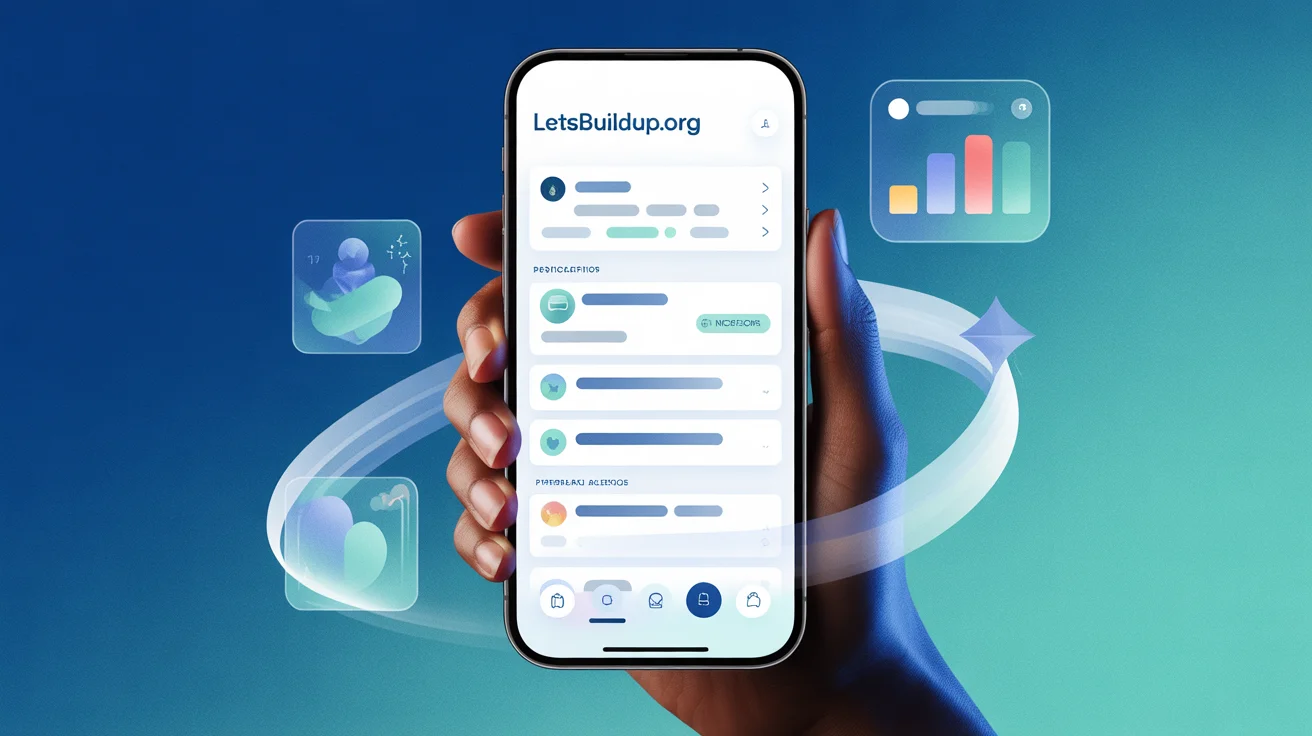
Once you’re logged in, take a few minutes to explore the app’s dashboard. LetsBuildUp.org’s mobile app is designed with simplicity in mind, offering easy access to all its features from the main menu.
Here’s what you’ll typically find:
- Home Feed: Latest posts, updates, and announcements from your communities.
- Communities Tab: Access to groups and forums you’ve joined or may want to explore.
- Events & Webinars: Upcoming events, meetups, and learning sessions.
- Messages: Chat directly with individuals or group members.
- Notifications: Stay updated on your mentions, invites, and event reminders.
The more familiar you become with the app layout, the easier it becomes to navigate and engage efficiently.
3. Join Communities That Match Your Goals
The heart of LetsBuildUp.org lies in its communities — groups built around shared missions, interests, and industries.
To use the app effectively:
- Browse Recommended Communities: The app algorithm suggests groups based on your profile and interests.
- Join a Few Quality Communities: Instead of joining dozens of groups, start with 3–5 that truly align with your passions or professional goals.
- Participate Actively: Comment, react, and contribute your insights. Engagement leads to visibility, and visibility builds connections.
- Attend Virtual Events or Meetups: Many communities host online gatherings. Join them to connect with members in real time.
Think of each community as a room full of opportunities — the more you interact, the more doors you open.
4. Post Meaningful Content Regularly
On LetsBuildUp.org, content is the bridge that connects people. The mobile app makes it easy to share updates, stories, achievements, and discussions directly from your phone.
Best Practices for Posting:
- Be Authentic: Share your real experiences, lessons, and challenges.
- Add Visuals: Use photos, infographics, or short videos to make your posts more engaging.
- Use Hashtags Wisely: Include 3–5 relevant hashtags to increase discoverability.
- Start Conversations: End your posts with a question to invite comments and discussions.
- Be Consistent: Even one or two posts a week can keep your presence strong.
Remember, the goal is not just to post — but to create value for your community.
5. Use the Messaging Feature to Network Smartly
Networking is the backbone of growth on LetsBuildUp.org. The in-app messaging feature lets you connect directly with other members and start meaningful conversations.
Here’s how to make the most of it:
- Send a Personalized Message: Avoid generic greetings like “Hi.” Instead, introduce yourself and explain what inspired you to connect.
- Follow Up: If you’ve attended a webinar or event, message participants you found interesting.
- Offer Value: Networking isn’t about asking — it’s about sharing insights, ideas, and opportunities.
- Respect Boundaries: Keep messages professional and concise.
Effective networking can lead to mentorships, collaborations, or even long-term partnerships.
6. Attend Events and Webinars for Real-Time Learning
One of the most powerful features of the LetsBuildUp.org mobile app is its Events section. This feature connects users with live learning experiences — from workshops and webinars to virtual conferences.
To get the most out of this:
- Set Event Reminders: Tap “Interested” or “Attend” to receive notifications before the event starts.
- Participate Actively: Ask questions and engage in chat discussions during live sessions.
- Take Notes: Jot down key insights and share them later in your community feed.
- Follow Speakers and Hosts: This expands your network with credible voices.
The more you engage with live content, the faster you’ll grow both personally and professionally.
7. Use Notifications and Alerts Wisely
The LetsBuildUp.org app keeps you updated through real-time notifications — but too many alerts can feel overwhelming.
Here’s how to manage them effectively:
- Customize Notification Settings: Choose what matters most — like mentions, event updates, or new messages.
- Check Notifications Once or Twice a Day: Avoid constant checking to save time.
- Act Promptly on Important Alerts: Respond quickly to collaboration invites or discussion replies.
Smart notification management helps you stay informed without losing focus.
8. Track Your Progress and Engagement
To grow on the platform, it’s helpful to measure your impact and engagement.
The app often provides analytics or activity summaries, showing:
- Number of posts or comments you’ve made
- Reactions and replies from other users
- Event participation history
Use this data to understand what type of content or activity brings the most engagement. Over time, you’ll learn what resonates best with your audience.
9. Stay Consistent and Positive
Like any community, the LetsBuildUp.org app rewards consistency and positivity. Be the member who adds value — not just promotes or observes.
Here’s how to maintain a positive presence:
- Encourage Others: React to and comment on posts by new members.
- Share Helpful Resources: Articles, tools, or links that benefit the group.
- Celebrate Wins: Whether it’s a small milestone or a big achievement, share it!
- Stay Respectful: Healthy discussions thrive on mutual respect.
Consistency builds your reputation as a thoughtful, reliable contributor.
10. Keep Your App Updated
Lastly, make sure your app is always up to date. Developers continuously release updates to improve features, enhance security, and add new tools for engagement.
Check your device’s app store regularly for updates — this ensures you’re always using the best version of LetsBuildUp.org.
Final Thoughts
Using the LetsBuildUp.org mobile app effectively is about more than just navigation — it’s about building meaningful relationships, sharing value, and growing with purpose.
Whether you’re an entrepreneur, volunteer, student, or professional, the app offers everything you need to connect, collaborate, and create impact.
So open your app, update your profile, join a community, and start building — because the best version of your impact begins with a single tap.